Futurama
The local Disney+ page lists 14 seasons. Hulu’s US guide lists season 14.
In Thailand, you can find Hulu shows in the current Disney+ app. Hulu sells its separate subscription in the US and checks where you connect from. A US address from a VPN data centre can still trigger a playback error.
USip uses a home internet line to give a phone or computer a residential US IP address. For a supported TV, set up USip Smart DNS on the TV or router.
For Hulu without a bundle, start at hulu.com/welcome and choose Sign up for only Hulu. Check the signup and payment steps before confirming. Already subscribed? Log in with MyDisney, find your show and press Play.
Updated · USip Editorial
If your AIS plan includes Disney+, activate the offer and open Disney+ Thailand. Look up the season before you decide whether you need American Hulu. Only Hulu's American service uses the US viewing rules described here.
When we checked Futurama, Disney+ Thailand listed 14 seasons and Hulu's US guide featured season 14. If you want to watch in Thai, check the language menu on the episode itself.
Moving from an old app or phone? AIS explains how to use your existing access in the current Disney+ app. Sign in with the account linked to the AIS number on your bill.
Disney+ Thailand. Search for the title and open the season you want. Check that the episode is included in the plan you’re buying.
This comparison covers one series. The US guide names a particular season. Listings checked 8 November 2026.
The local Disney+ page lists 14 seasons. Hulu’s US guide lists season 14.
On a Mac or Windows computer, connect the USip profile in OpenVPN Connect. Leave it connected while you sign in to Hulu in a supported browser.
Use the current Disney+ app for an AIS benefit. To use Hulu separately, check for the Hulu app in the phone's store. Connect your USip profile in OpenVPN Connect and then open Hulu.
To use Hulu on a home television, first register the public IP of the connection your TV is using. Set Smart DNS on a supported TV or router before opening the American app.
The US subscription is listed under Hulu’s plan prices. Compare it with the separate USip plans and check your AIS bill if it includes Thai Disney+.
Use your AIS benefit first if the package includes Disney+. Check which account is linked before entering a card for a new plan. See the AIS activation steps.
For a partner-billed Hulu plan, ask the company on the bill whether the account can use a gift card.
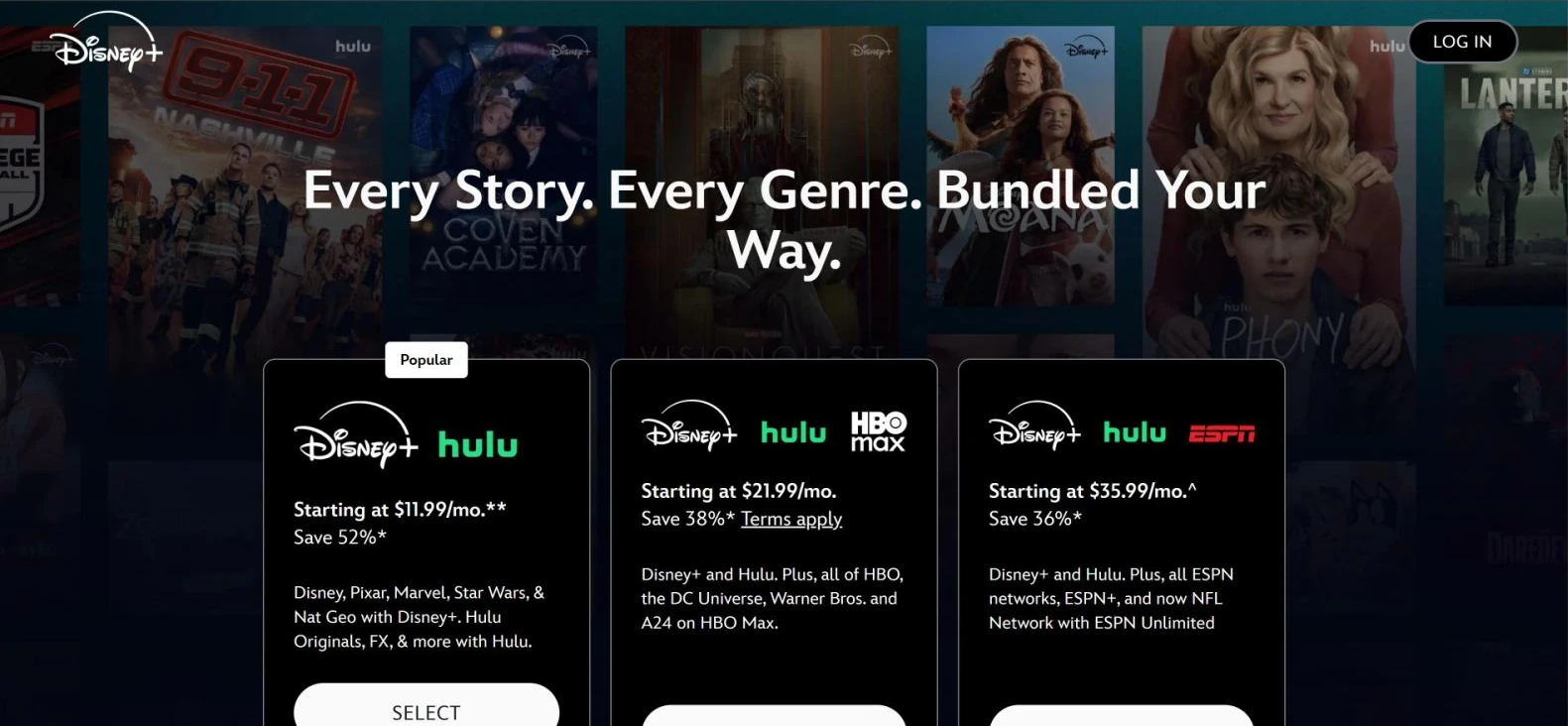
Were you trying to get Hulu alone? Go back to hulu.com/welcome and choose Sign up for only Hulu below the offers. You can also use Hulu’s plan picker to find Hulu under Base Plans.
If you signed up for Disney+ through AIS, look up the package on your AIS account and compare its billing schedule with your mobile bill. AIS describes packages with different payment periods, including an annual commitment paid in monthly instalments. A monthly charge alone does not establish that you bought a month-to-month plan. AIS package and renewal terms.
Episode won’t play? Keep the exact message and tell support which device and app you used. Check playback errors.
On 13 October 2026 our two recordings used iPhones and a USip profile in OpenVPN Connect. They took place in Poland and Luxembourg. There is no published session from Thailand in this record.
With ads, Hulu costs US$12.49 a month. You can also pay US$124.99 for a year. Hulu Premium costs US$21.49 a month. Check the US checkout for any tax or current offer.
Hulu plans and prices · Checked 8 November 2026.
The connection is sold monthly, for six months or for a year. On the longer plans the table gives a monthly average and the full charge after the three-day trial.
REAL US HOME BROADBAND
Choose your billing period. US$0 due today.
MONTHLY BILLING
US$15.99US$9.99 / month
Billed monthly after your trial
Then US$9.99 every month
SIX-MONTH BILLING
US$6.50 / month
Monthly equivalent
Then US$39 every 6 months
LOWEST MONTHLY RATE
US$5.75 / month
Monthly equivalent
Then US$69 every year
Included in every plan
US$0 due today. Payment method required. After your trial, your selected plan renews automatically at the price and billing interval shown until canceled. Cancel before the trial ends to avoid the first charge.
All prices in USD. Streaming subscriptions sold separately. 14-day refund policy
USip provides a residential U.S. connection. Hulu can still reject VPN or proxy traffic. USip and Hulu are separate services: the plans include the connection only — not a Hulu subscription, account, app-store region, home network or rights to a title.
Separate services: these prices are for the USip VPN Residential U.S. IP service only. A Hulu subscription, a Hulu account and access to any particular title are not included.
Want Hulu on its own? Select Sign up for only Hulu on hulu.com/welcome. If your account already has Hulu, log in directly to use it.
Check the merchant shown on the failed payment. For an AIS charge, check the package with AIS. For American Hulu, its direct card checkout checks the US issuer and billing ZIP. Hulu’s payment requirements.
When the current Disney+ app works and Hulu reports a location error, check USip on the viewing device. A television needs its current home IP registered. Send USip Support the model and exact Hulu error if it continues.
If your series is missing in the AIS-linked account, confirm you're using the current Disney+ app. Check the Thai season listing against the episode you want.
Even if you watched only on your phone, cancel with your Hulu billing company. Manage the separate connection subscription in your USip account.
Check for a supported Hulu app on the TV itself and register the TV network's public IP for Smart DNS. If the TV loses internet access after the change, restore its previous DNS settings. Open the Smart DNS guide.
Hulu + Live TV applies additional US home network and location checks, even if an on-demand show plays on your phone. Check Hulu’s Home network rules.
Check whether your AIS package includes Disney+ and whether you activated the offer. Use the account linked to your AIS number in the current app.
Go directly to hulu.com/welcome. Scroll below the bundles to Sign up for only Hulu. Follow the MyDisney prompts to create or use an account.
AIS handles that activation. The three-day USip trial pays for a USip connection. Hulu has its own subscription.
Hulu + Live TV makes separate US Home network checks. An on-demand episode cannot tell you whether live channels will work. Hulu’s Home network rules.
If your AIS plan includes Disney+, activate the offer and check your episode there. For Hulu, follow the account and payment steps. Already subscribed to Hulu? Go straight to device setup.
3-day USip trial · Hulu sold separately