Watch U.S. Paramount+ in Germany with a Residential U.S. IP



US IP VPN adds a residential U.S. IP connection on top of your German network. Use it for existing U.S. Paramount+ accounts, U.S. catalogue testing, travel use cases, and support checks from Deutsche Telekom, Vodafone, O2, 1&1, office, university, or home networks.
A U.S. IP is the network layer, not the subscription. Paramount+ still controls account eligibility, payment, plan type, live channels, add-ons, app-store behaviour, and catalogue rights.

Why U.S. Paramount+ from Germany Needs Careful Setup

Germany is not a simple “unavailable service” case. Local Paramount+ availability, German-language app paths, app-store region, EU privacy prompts, workplace restrictions, and router DNS settings can all influence what the user sees. A residential U.S. IP helps with IP location, but it does not erase account history or device configuration.
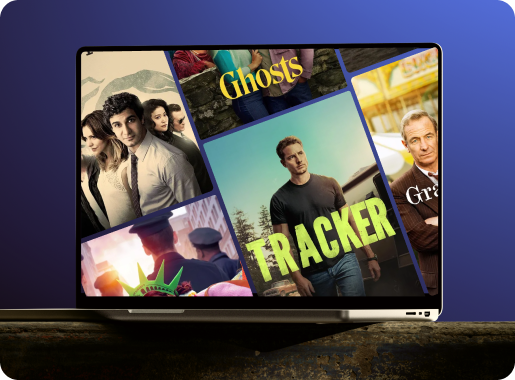
The reliable workflow is to test like an engineer: use a clean desktop browser, connect to a residential U.S. IP, verify the U.S. IP externally, open Paramount+, and only then troubleshoot Fire TV, Apple TV, Roku, Smart TV, Fritz!Box, or mobile app behaviour.

Why a Regular VPN Can Be Unreliable for U.S. Paramount+ in Germany
German networks often add extra variables: IPv6, strict routers, corporate firewalls, university Wi-Fi, DNS settings, and privacy extensions in browsers. A residential U.S. IP gives Paramount+ a more natural U.S. network signal, but the device and account still need to be checked.
| Germany situation | Common source | Potential problem | Recommended action |
|---|---|---|---|
| Datacenter VPN exit | Shared hosting IP | May be recognized as VPN infrastructure rather than home internet. | Use residential U.S. IP access instead. |
| German broadband | Telekom, Vodafone, O2, 1&1 | Paramount+ can keep applying German network-location or catalogue signals. | Connect first, verify U.S. IP, then open a fresh Paramount+ session. |
| Router complexity | Fritz!Box, mesh Wi-Fi, ISP router | DNS or IPv6 can reveal German routing even when the app seems connected. | Test on desktop before copying settings to router or Smart TV. |
| Workplace or university Wi-Fi | Managed network | VPN protocols, streaming, or DNS can be restricted. | Compare with home broadband or mobile hotspot. |
How to Watch U.S. Paramount+ from Germany
Germany requires a controlled setup because device routing and routers can be stricter than the service itself. Start with a single computer, prove the U.S. IP and browser playback, then expand to the devices you actually use.
Choose Your US IP VPN Plan
Configure Desktop First
Verify the U.S. IP and DNS Behaviour
Only Then Configure TV or Router
In Germany, do not begin with the Fritz!Box or Smart TV. Prove the connection first, then make the home-network setup match it.
Streaming U.S. Paramount+ Smoothly on German Networks
German home internet is often fast, but Paramount+ issues can come from IPv6, DNS leaks, browser privacy settings, corporate Wi-Fi, or overloaded public networks. Treat each factor separately.

German network checks before playback
Check IPv6 and DNS
Use Clean Browser Profiles
Move Mobile Apps Slowly
Understand the Speed Baseline
Simple Pricing that You Love
- €9.99/month after a 3-day trial.
- No commitment.
- Plan automatically renews after the free trial until canceled.
- Pause and resume anytime.
- 14-Day 100% money back guarantee
- €39.00/semiannually after a 3-day trial.
- No commitment.
- Plan automatically renews after the free trial until canceled.
- Pause and resume anytime.
- 14-Day 100% money back guarantee
- €69.00/year after a 3-day free trial.
- No commitment.
- Plan automatically renews after the free trial until canceled.
- Pause and resume anytime.
- 14-Day 100% money back guarantee
Before You Subscribe or Sign In to U.S. Paramount+ from Germany
A residential U.S. IP helps with network location, but Paramount+ still decides account, billing, plan, catalogue, live channels, and app-store behaviour. German accounts and app profiles can remain German even when the connection uses a U.S. IP.
Existing U.S. Paramount+ Account in Germany
This is the most straightforward scenario. Connect to US IP VPN, verify the U.S. IP and DNS, then sign in to your existing U.S. account from a clean browser. Once desktop playback works, configure the TV device or router.
German Account, App-Store, or Router Issue
A German Paramount+ account, German payment route, German app-store profile, or router DNS setup may keep applying German rules. A VPN should not be treated as an account-conversion tool.
Device Setup for U.S. Paramount+ in Germany
Germany often requires extra attention to routers and DNS. Keep the first test simple, then reproduce the working setup on harder devices.
Windows and Mac
iPhone, iPad, and Android
Smart TV, Fire TV, Roku, Apple TV, and Router
Fix German Location or Catalogue Errors
Frequently Asked Questions
Can I watch U.S. Paramount+ in Germany with US IP VPN?
Is Paramount+ available in Germany?
Why use a U.S. IP if Paramount+ exists in Germany?
Does US IP VPN include Paramount+?
Will a German account become a U.S. account?
What German ISPs are relevant?
Can Fritz!Box or router settings affect Paramount+?
Should I start with a Smart TV app?
Can I use this on Fire TV, Roku, or Apple TV in Germany?
What if Paramount+ still shows German content?
Is a residential U.S. IP better than a normal VPN?
Can I use random U.S. IP rotation?
Is US IP VPN fast enough from Germany?
Is using a VPN legal in Germany?
Is U.S. Paramount+ access guaranteed from Germany?
